
Automating admin workflows and simplifying expense reporting
Automating weeks of manual work for corporate card admins and simplifying card users' expense process
Overview
Commercial Card Platform
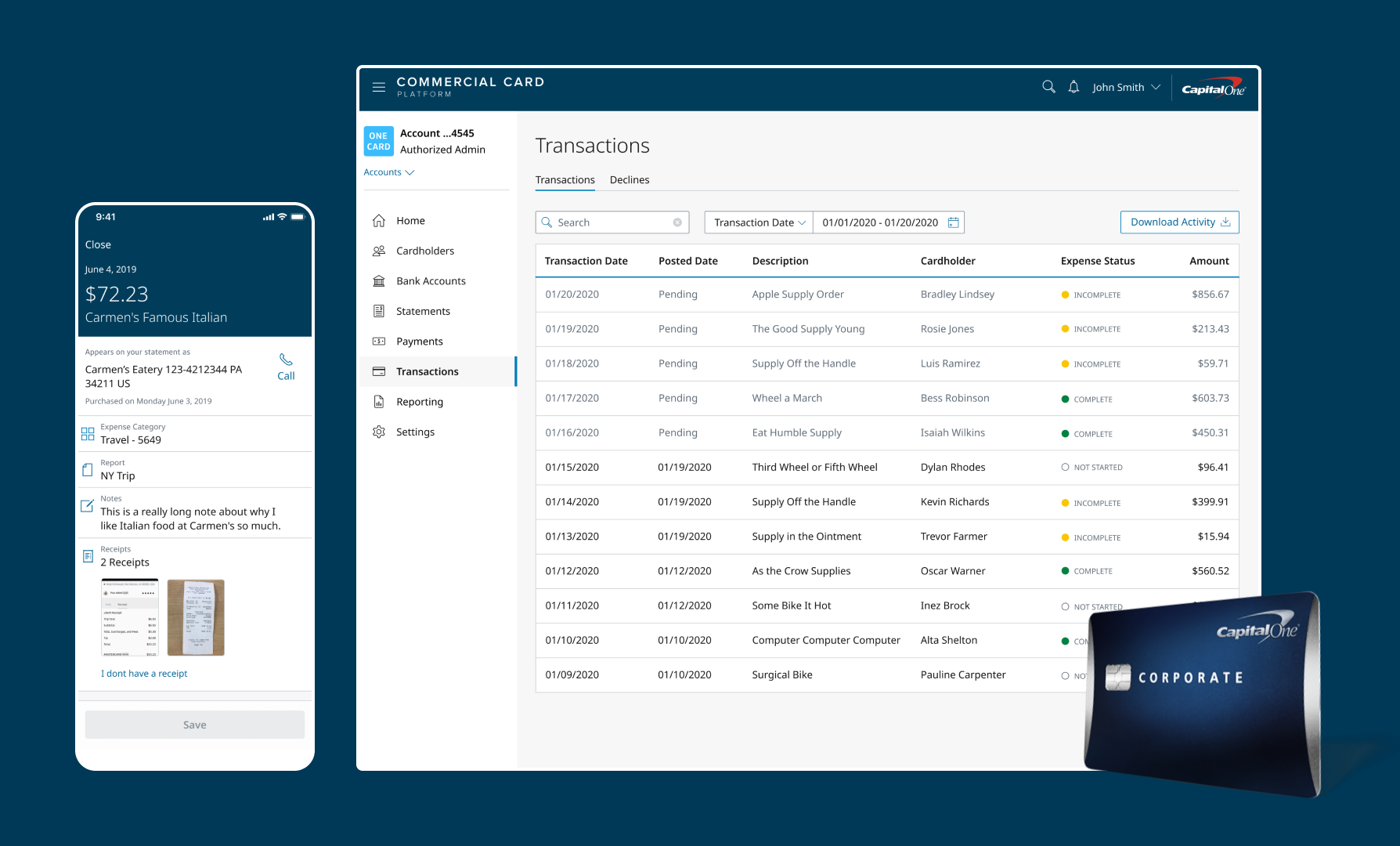
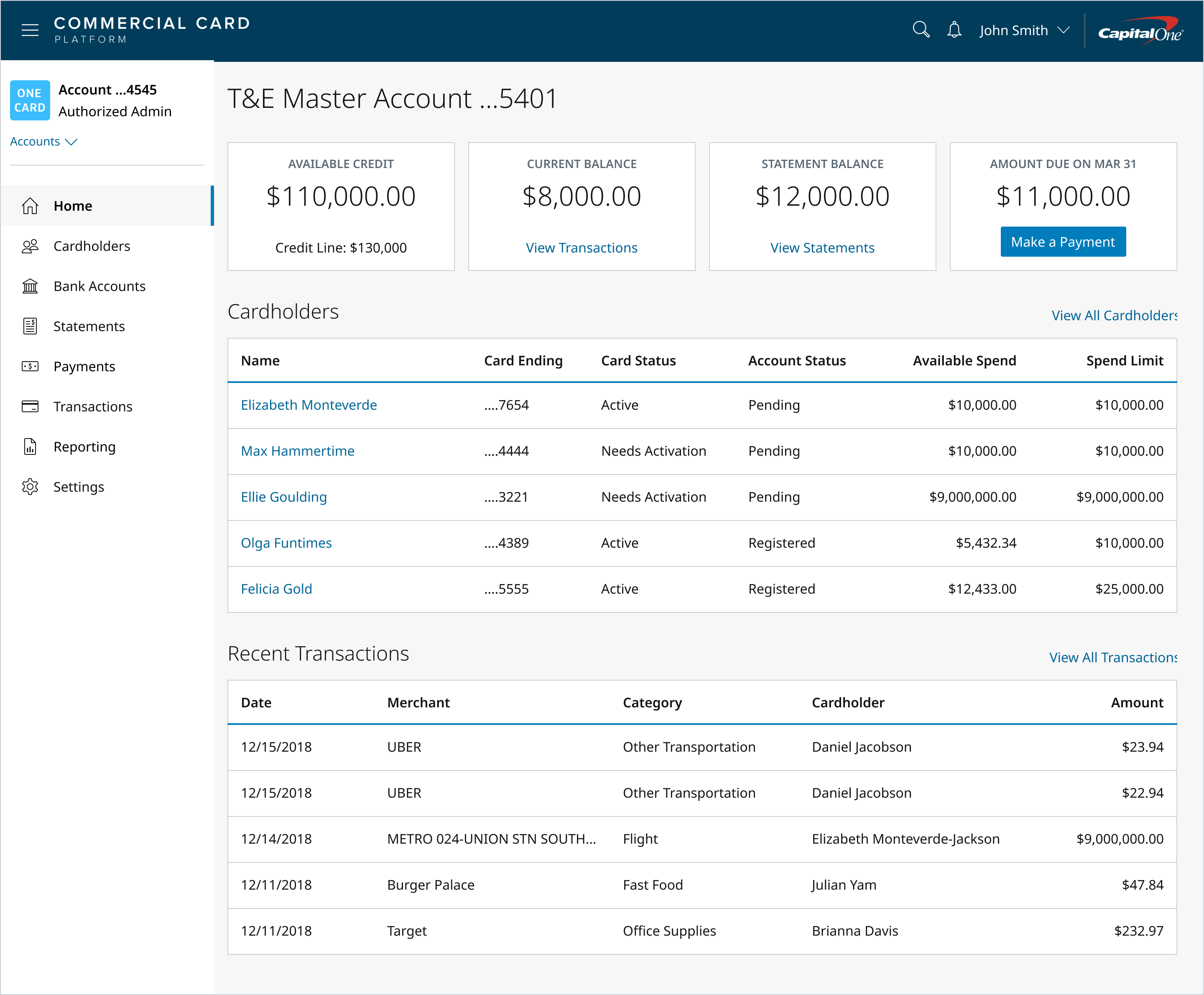
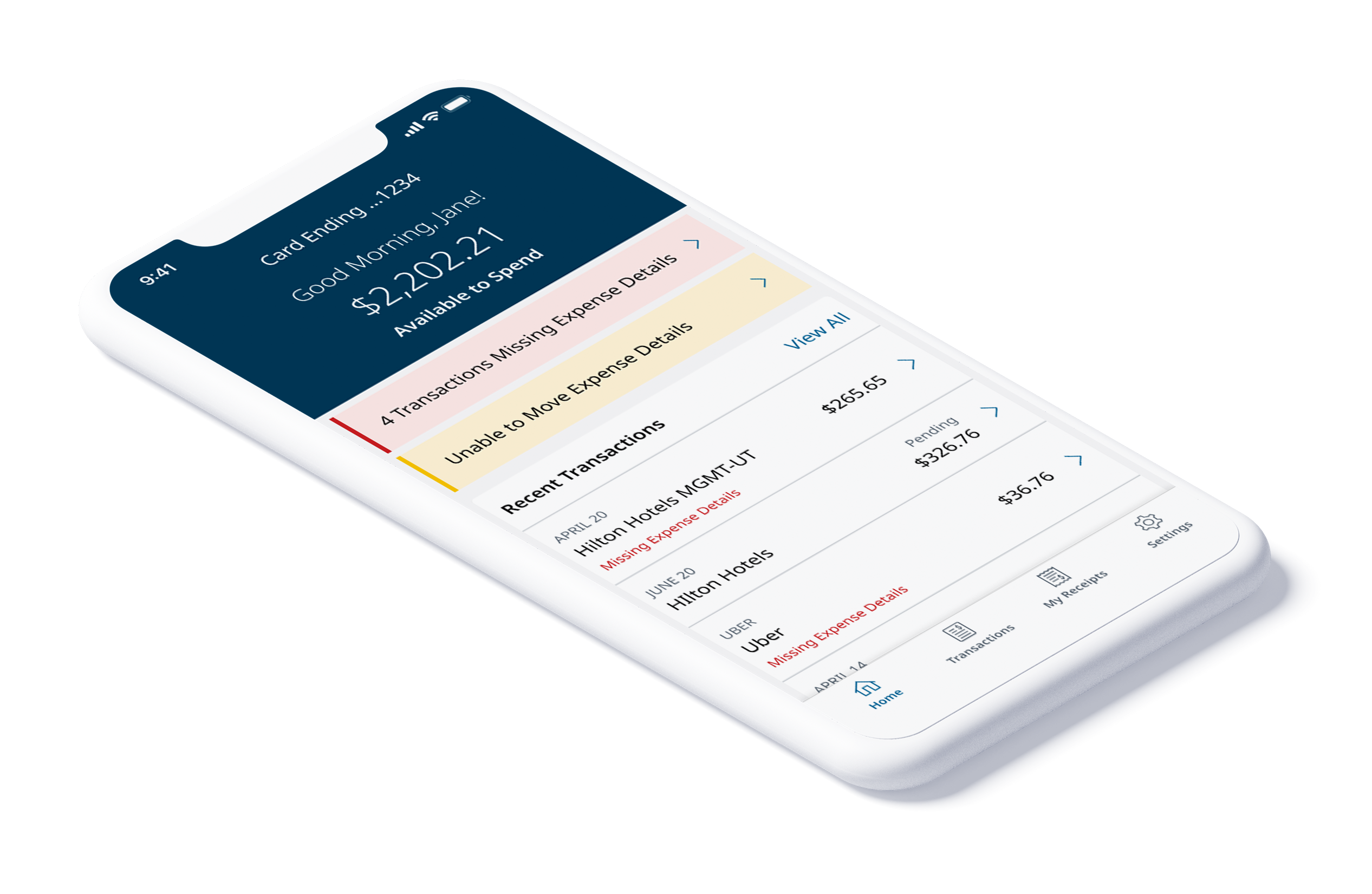
Capital One Commercial Card Platform allows card program administrators to manage their corporate card transactions, credit limit, and expenses. Cardholders have a mobile experience which allows them to view transactions, receive notifications, and lock their card in case of fraudulent charges.
My Role
I was the Lead Designer partnering with two product managers and tech leads on the respective mobile and web teams for Commercial Card Plastics. I led in-person and remote research sessions with select clients, completed wireframes and UI/UX design. I collaborated with tech teams on grooming stories for development, and reviewed in-progress work through to feature release.
- Led design across mobile and web product teams
- Conducted in-person client research and onboarding sessions
- Created wireframes, prototypes, and production-ready UI
- Collaborated with engineering on story grooming through release
The Problem
Manual Processes That Cost Everyone Time
Companies with corporate card programs almost always need to collect expense metadata from their cardholders for tax purposes. This is either done through a time-consuming manual process or an expensive third-party platform that may or may not integrate with their card.
Cardholders have a hard time collecting and keeping track of their receipts, and in turn admins have a hard time getting receipts and GL codes from their cardholders in a timely manner. This means much of the admin's time is spent hunting down cardholders for their receipts and expense reports.
“It's a bit like being everyone's mom.”
— Corporate Card Program Administrator
Our Goal
Expense Management Pilot Program
We had a limited feature set that we knew wouldn't cut it for a live product, but could get us in front of select clients to validate our concepts and gather additional insights. We partnered with 5 middle-market clients to better understand their current expense management and reconciliation processes.
- 1Partnering with Sales and Relationship Managers, identified 5 middle-market clients with 20–50 cardholders to pilot existing features
- 2Scheduled in-person onboarding and research visits with 4 clients to understand their current processes
- 3Designed and developed updates to fulfill MVP requirements identified during visits
- 4Released and tested feature updates with pilot client admins and cardholders
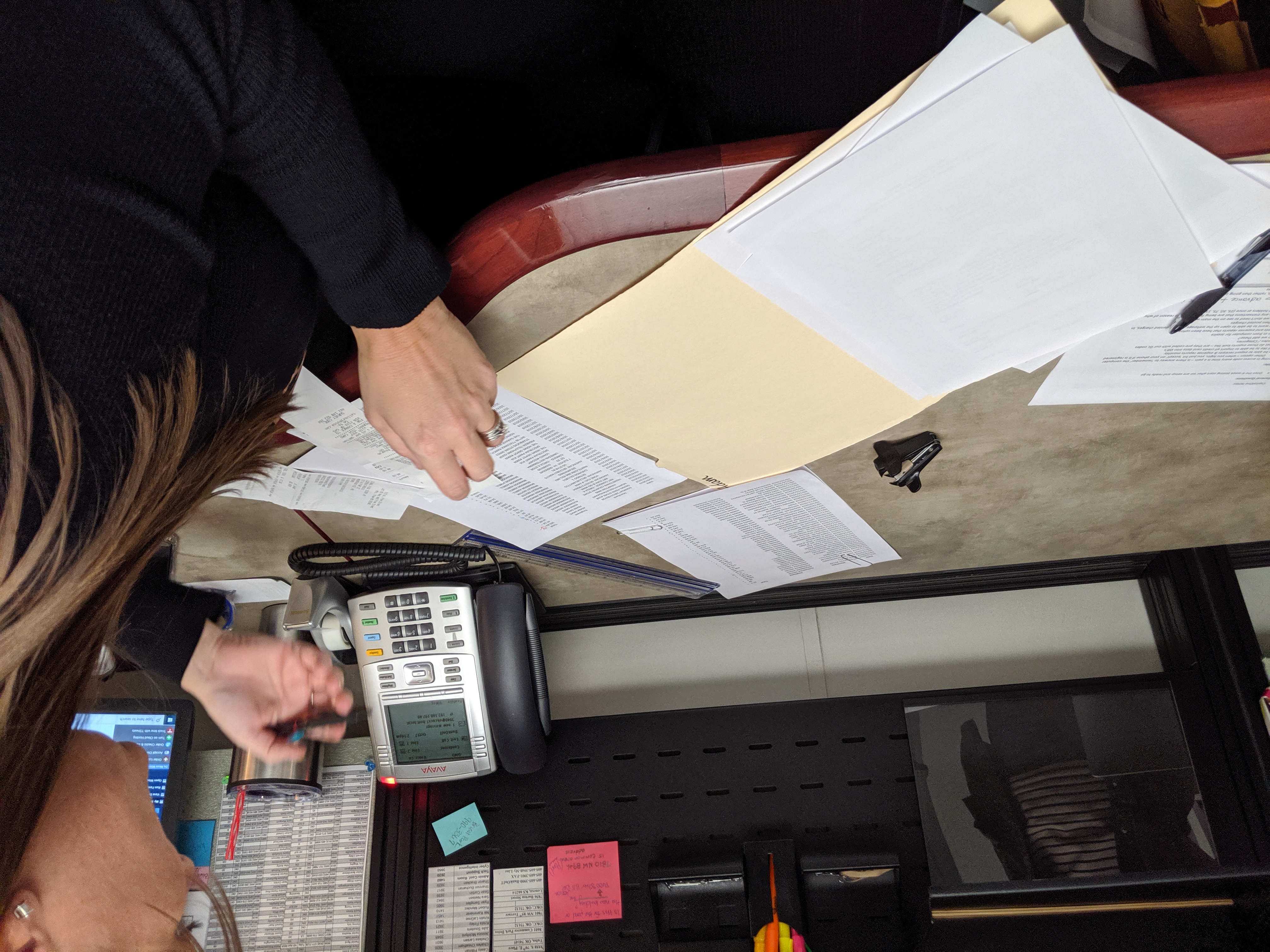
An Admin manually reconciling a cardholders transactions with their expense report
Supporting Research
Validating the Opportunity
Proxy Research
Empathy interviews with non-Capital One clients confirmed that card program administrators would be highly interested in an expense management feature set offered directly by their corporate card provider.
Market Research
A third-party review of banks revealed that no player had successfully combined account management with expense management, showing a significant market opportunity.
Client Segment
This research, combined with past empathy interviews, helped us narrow our target segment to middle-market clients with a mostly manual expense management process.
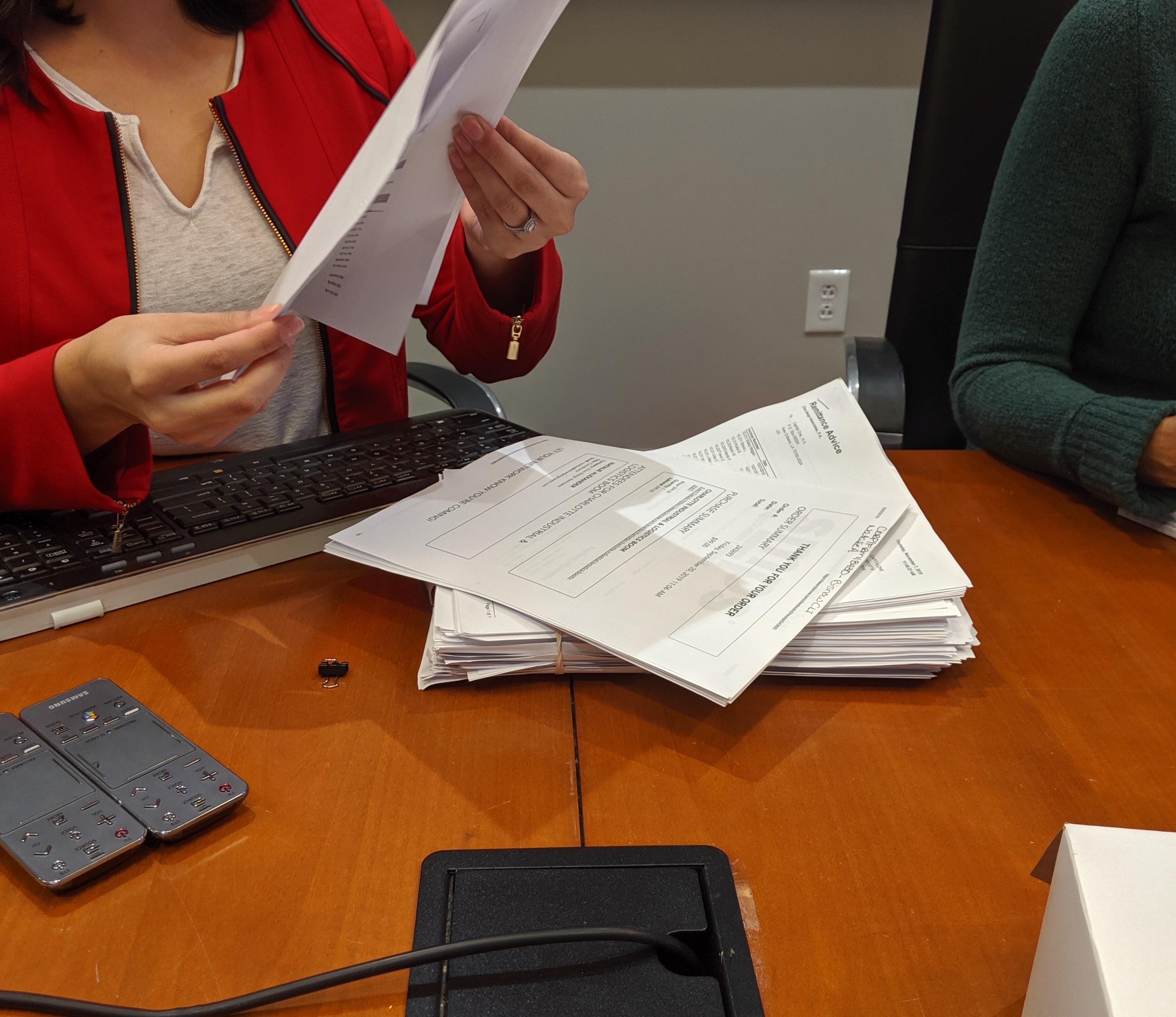
An Admin manually reconciling a cardholders transactions with their expense report
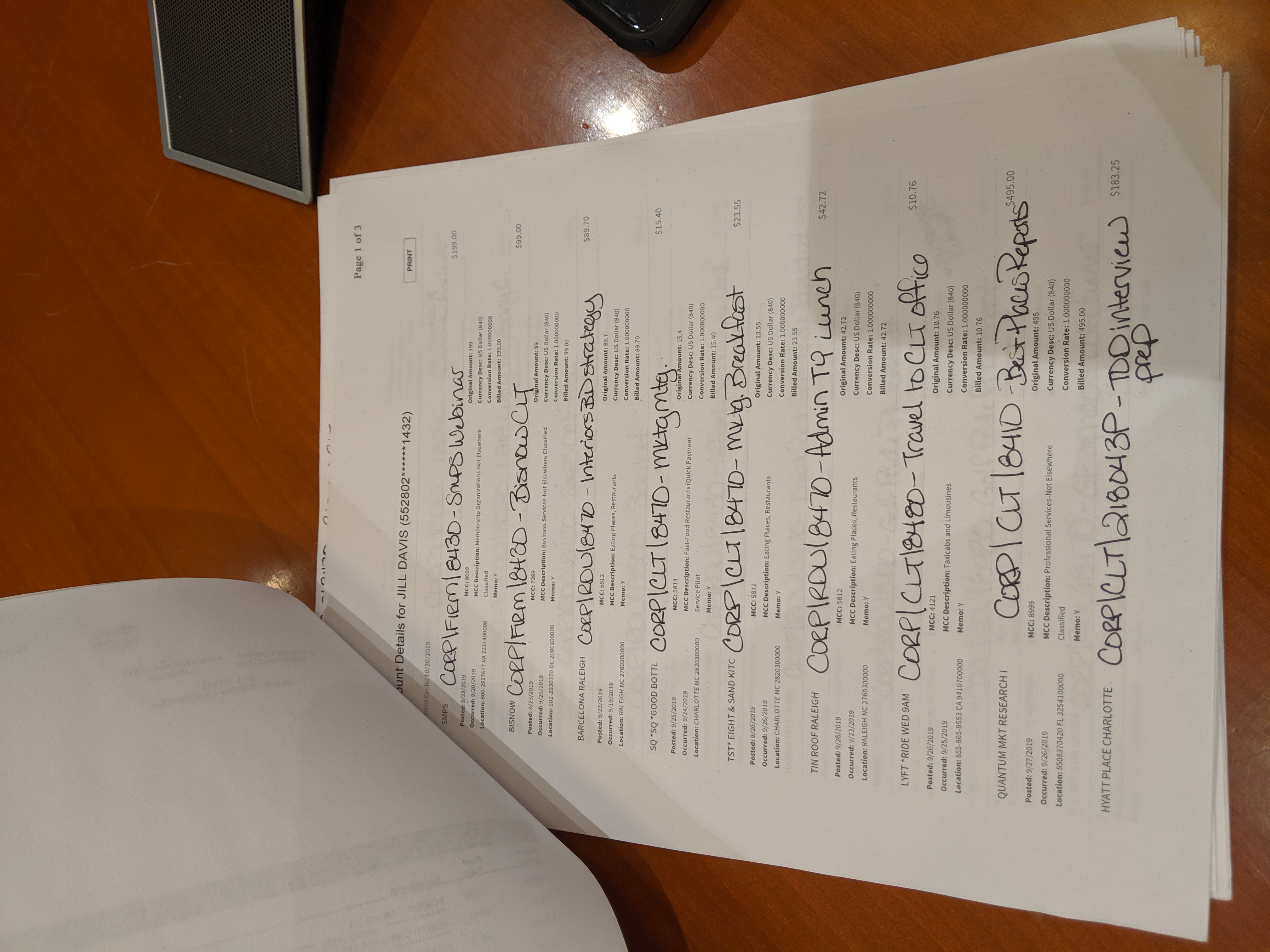
One billing cycle worth of cardholder expense reports
Key Insights
What We Learned
Through our pilot research sessions, four core themes emerged that shaped the entire product direction.
GL and Expense Codes
Every client had a unique coding system. Some used GL codes, others custom expense categories, and many used both. Codes didn't change often, but new ones got added frequently, especially across different industries.
Expense Details
Admins needed to quickly see the receipt, amount, and vendor name to confirm a valid charge. They also needed to confirm the date the charge was made (as opposed to posted) on a valid business day.
Pending Transaction Data
If we were unable to match a pending transaction to a posted one, there was no way to move expense data over. This was a big problem for restaurant and hotel charges where the amount often changed.
Expense Reports
Admins didn't care if expenses were sent in a report, as long as they got the information. Cardholders didn't want to remember to submit a report. They wanted to add details once and be done.
Solution #1
Configurable Custom Fields
Problem
Expense codes differed across clients in terms of labeling, structure, and type. Some clients had hard-to-remember coding rules. One client had cardholders hand-write their codes onto a printout of their transactions.
Insights
- Labels need to be configurable to have a name that makes sense to their cardholders
- Generally all codes fit within two categories: a set list of numeric codes with a text label, or a free-form entry for notes
- Codes don't change very often, but new ones get added frequently, especially depending on the industry
Solution
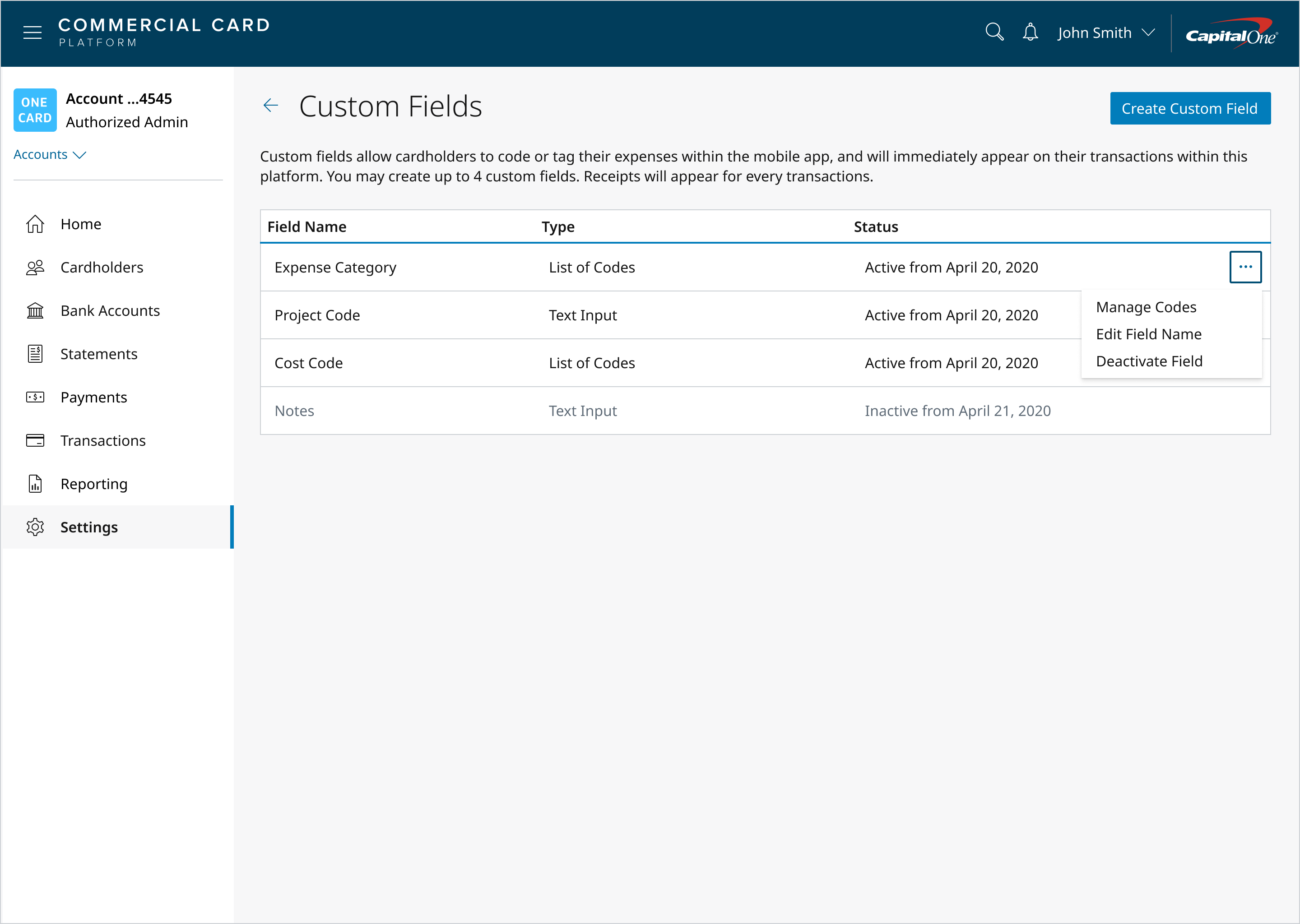
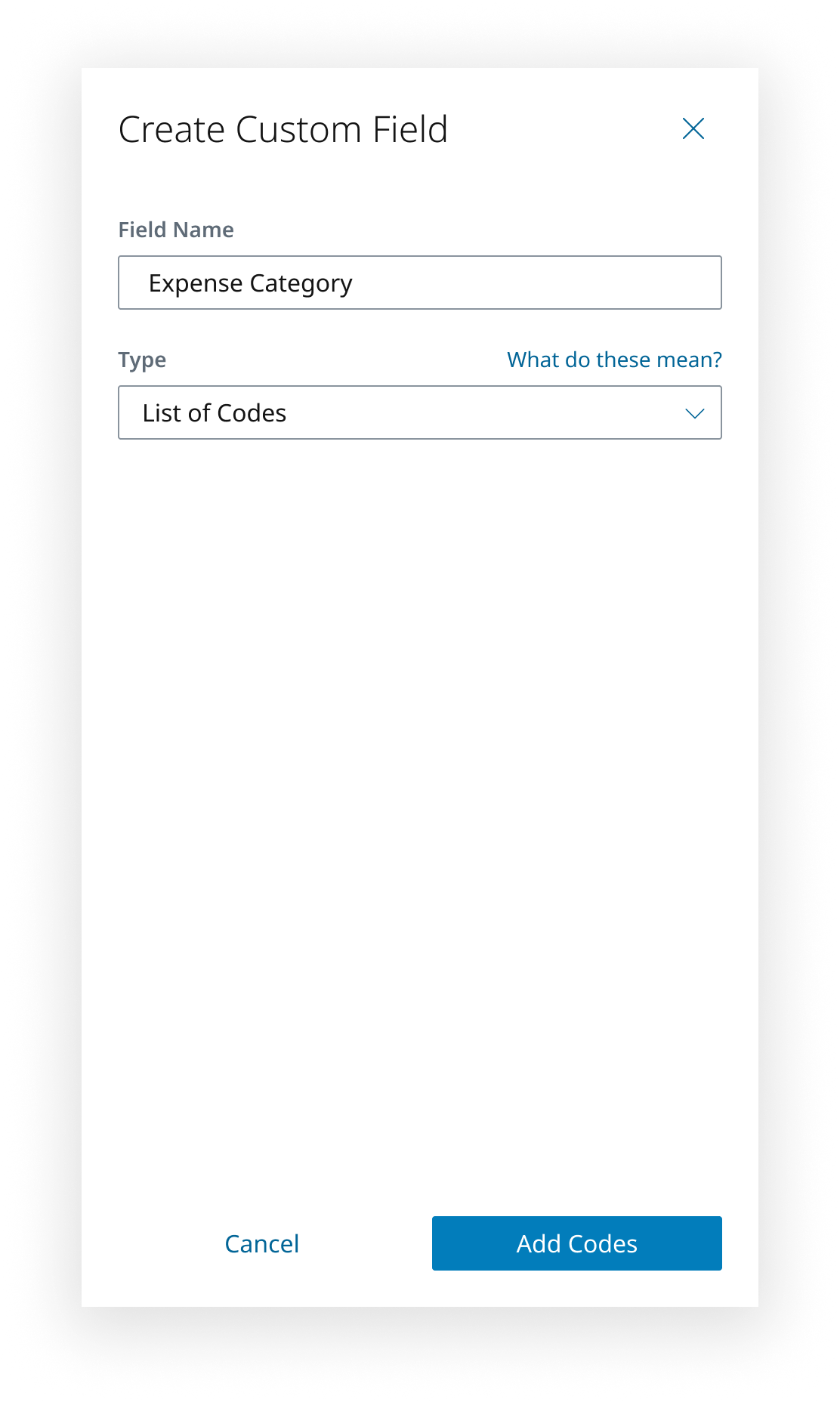
We designed and tested a configurable field system with our pilot clients. Clients loved the ease of being able to change code labels without contacting us or a sales representative. We added Custom Field functionality to the settings page within their account.
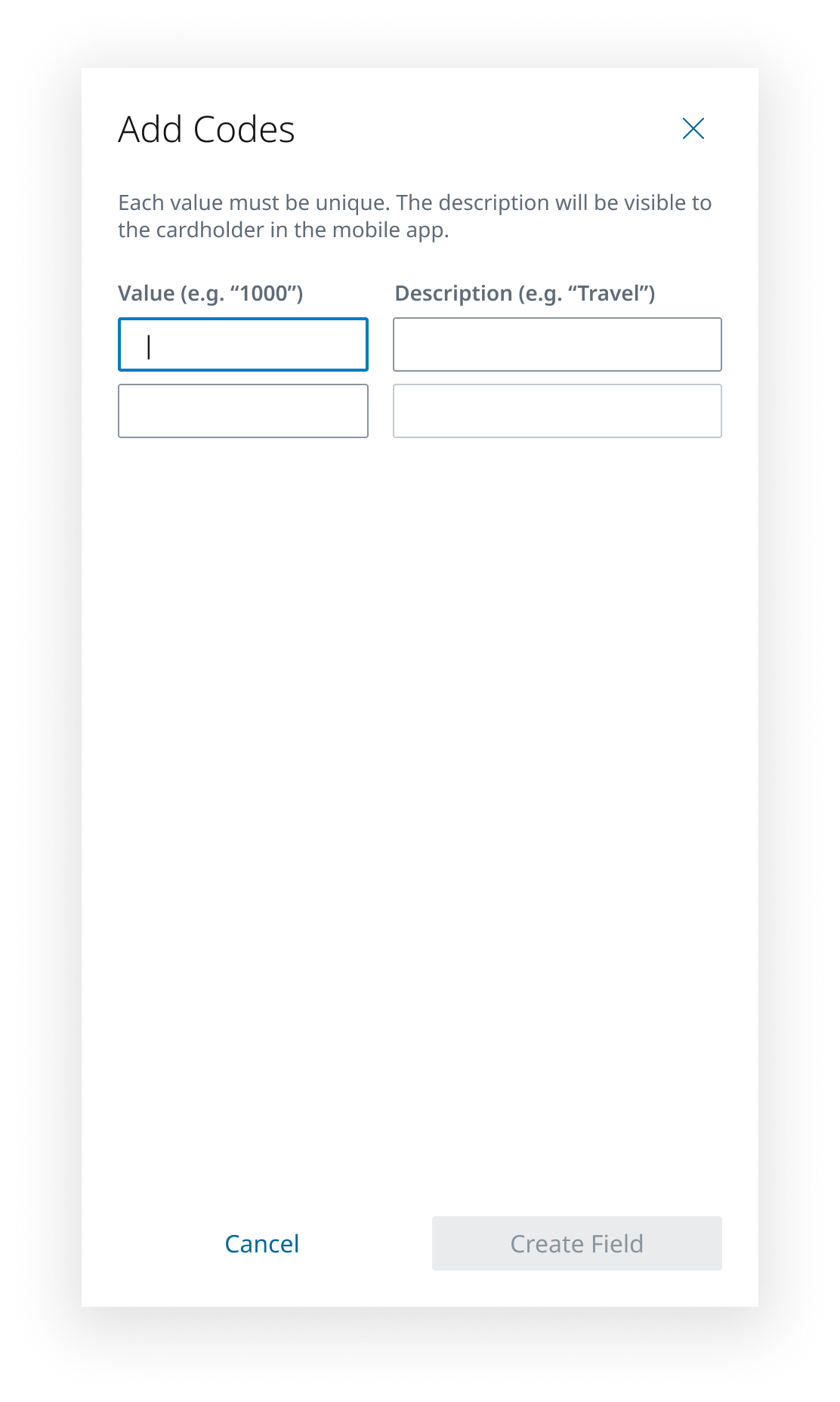
- A simple creation process in a tray experience allowed admins to create a field name, choose a type, and add their codes
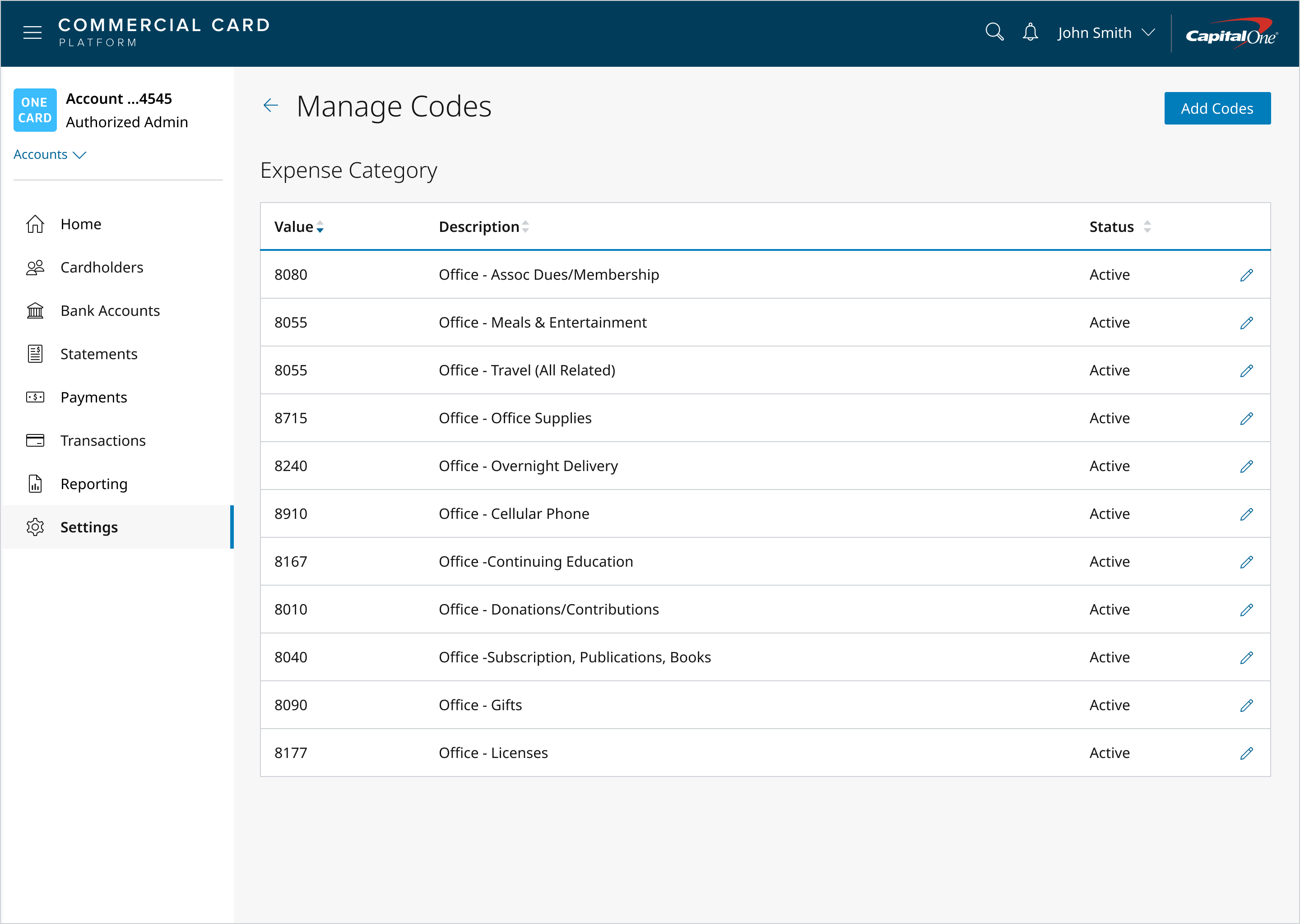
- We determined that clients within our target market only needed up to four fields. Admins could change the field name, deactivate the field, or manage the codes
- For lists of codes, each input has a numeric value and a human-friendly term that appears to the cardholder in the select list on their expense detail pages
Solution #2
Transaction Details Redesign
Problem
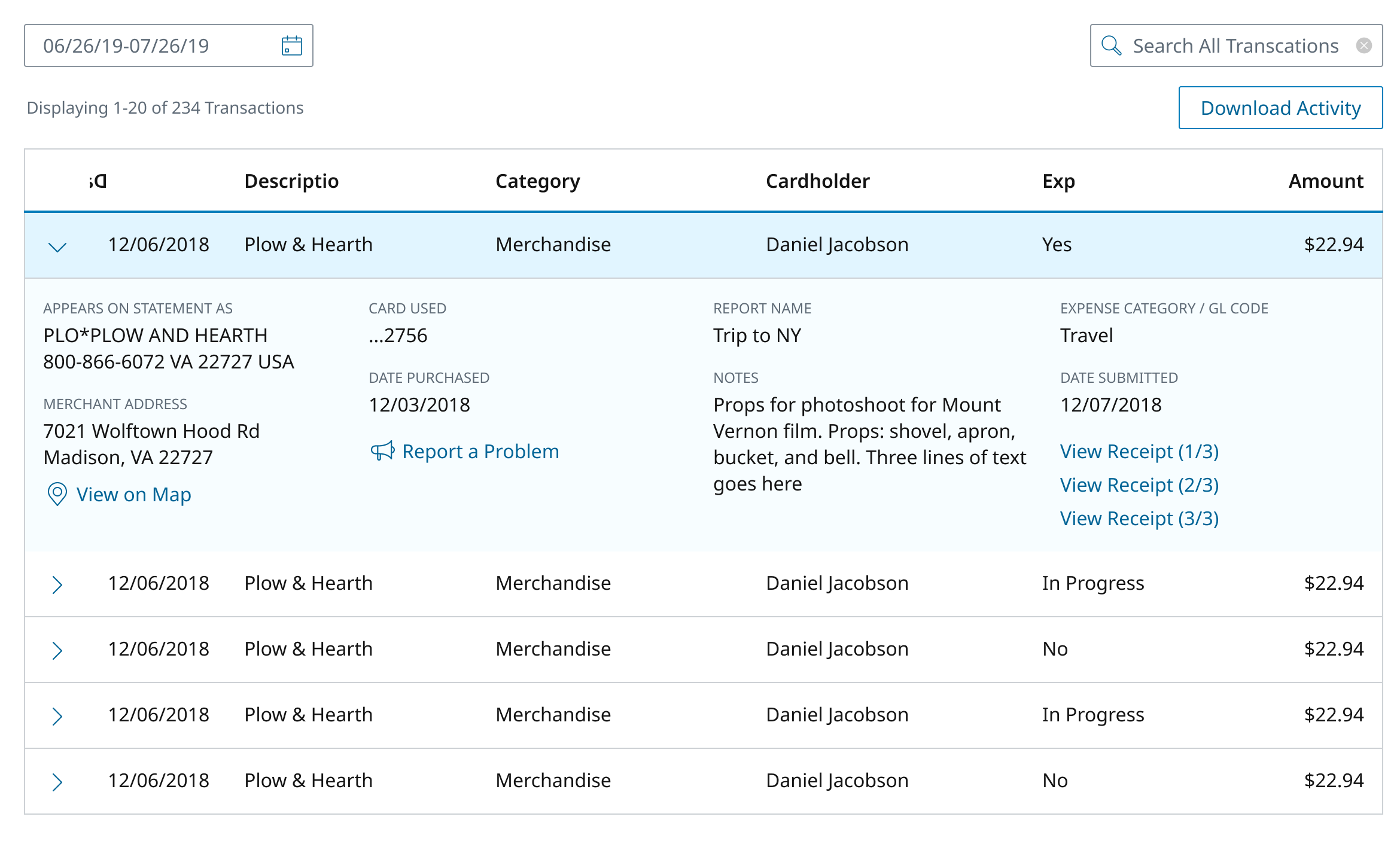
Our existing expense details tray and link to download receipts was inefficient for admins. There was too much work involved in viewing expense data, and having to download receipts just to view them was not scalable. The tray couldn't accommodate additional information or the varying custom fields.
Insights
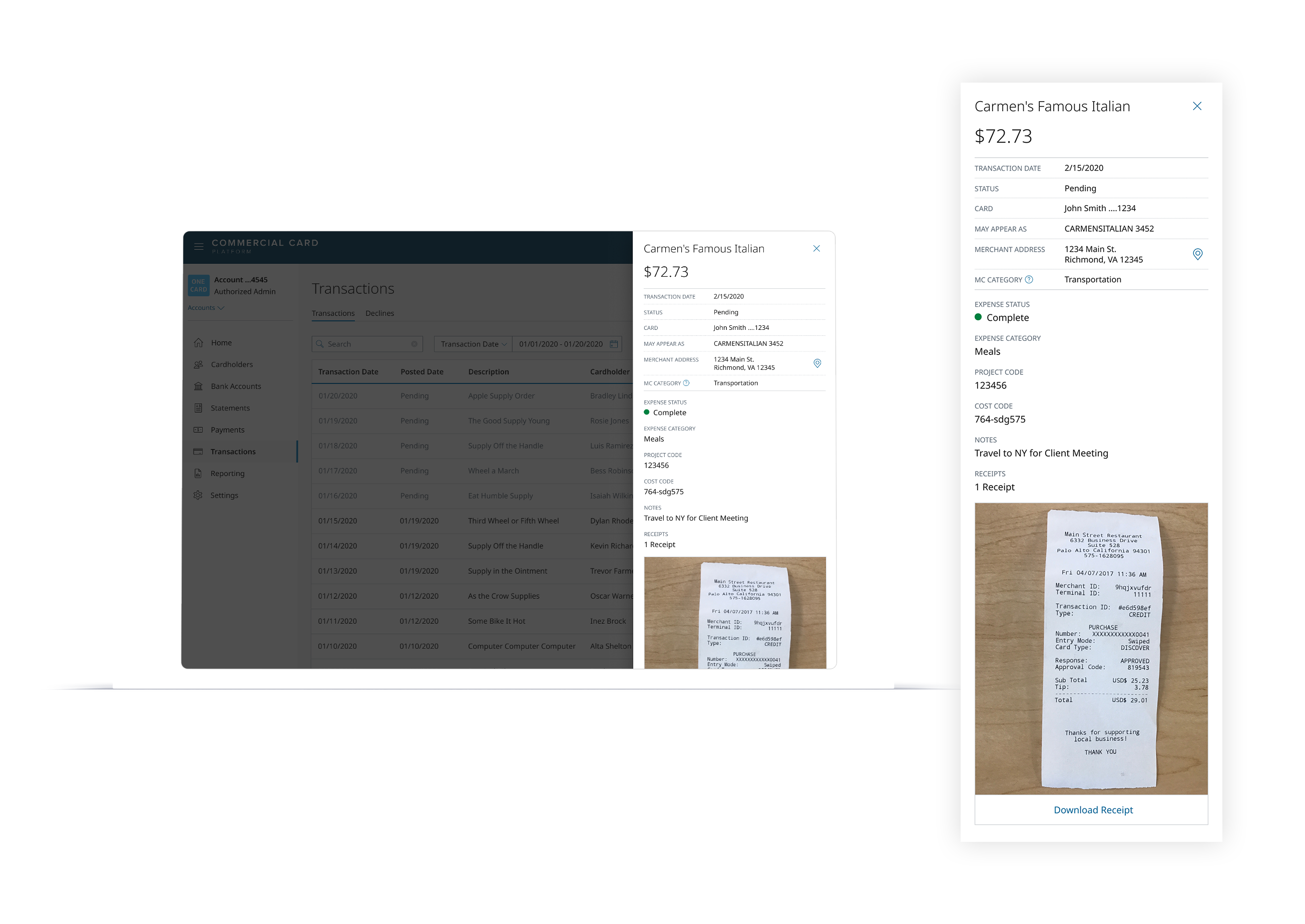
- Admins wanted to bulk download receipts per statement, but mostly just needed to quickly confirm the vendor name, date, and amount during reconciliation
- Transaction details needed to accommodate custom fields and varying client configurations, and potentially be editable by the admin in the future
- After working with the platform, admins found they no longer needed bulk downloads. They trusted that receipt images would be accessible for the 7-year retention period
Solution
To get in front of users faster, our pilot program solution was adding download links to each transaction for receipt images. This was the smallest level of effort which allowed us to test expense management within the platform the fastest.
We revamped the transactions page to account for expense details and future needs like admin editing of expense codes. We created a cleaner slide-out panel which displayed receipts immediately, giving admins an easy way to compare them to merchant information. The panel was flexible enough for any custom field configuration and could grow to accommodate more information.
Before
After
Solution #3
Pending-to-Posted Transaction Matching
Problem
Pending transactions are actually a totally different transaction from their posted counterparts. To users, it appears that a pending transaction seamlessly transitions into a posted one, but behind the scenes they're two different things. This causes issues when users add expense data to pending transactions within the mobile app.
The app would automatically match pending to posted transactions and move data over. This worked 95% of the time, but was especially hard with restaurant or hotel charges where the pending amount might not match the posted amount. We needed a flow that allowed cardholders to handle this manually.
User Perceptions
- “I already added data to this transaction, where did my receipt and codes go?”
- “This transaction is appearing twice. Why was I charged twice?”
Solution
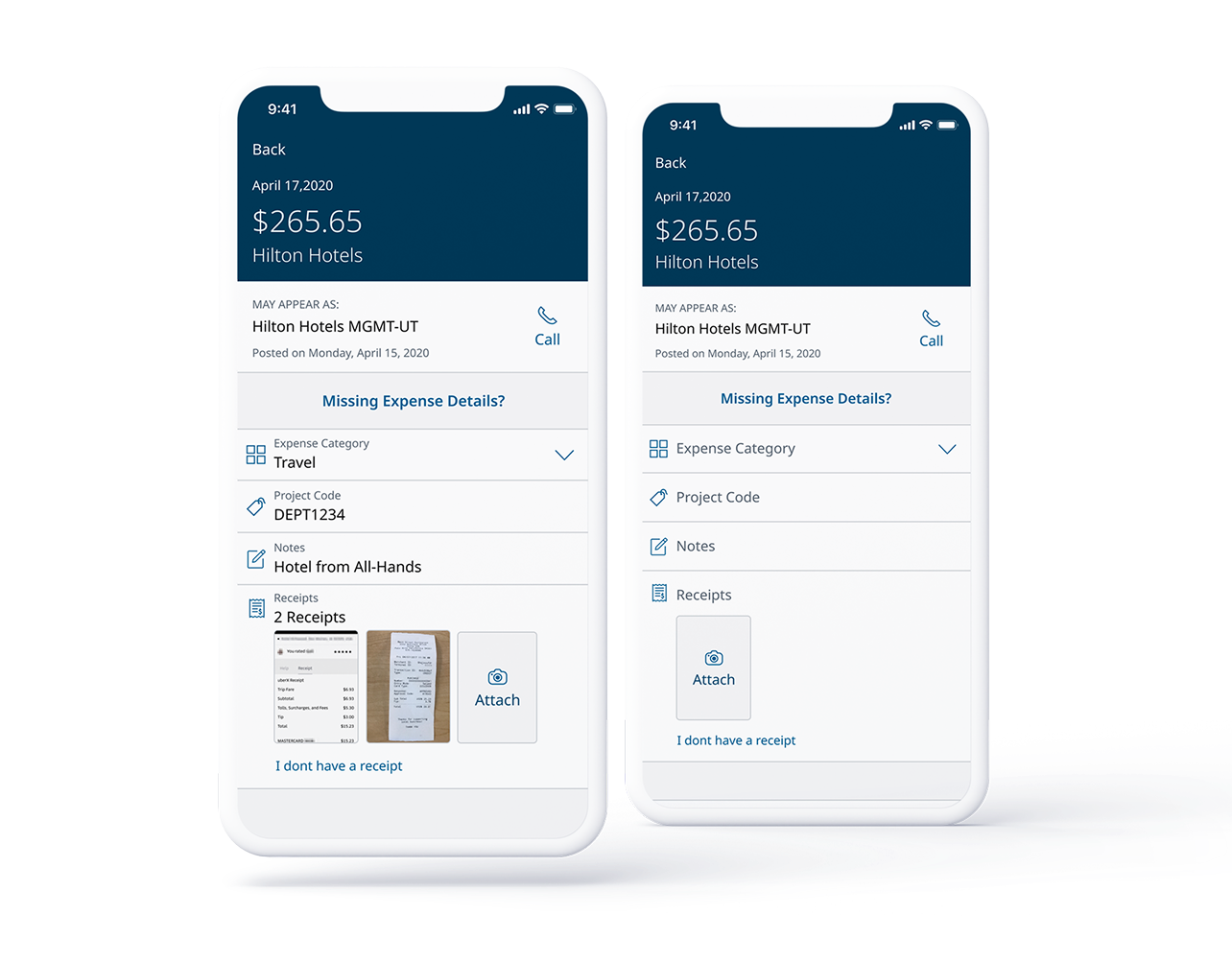
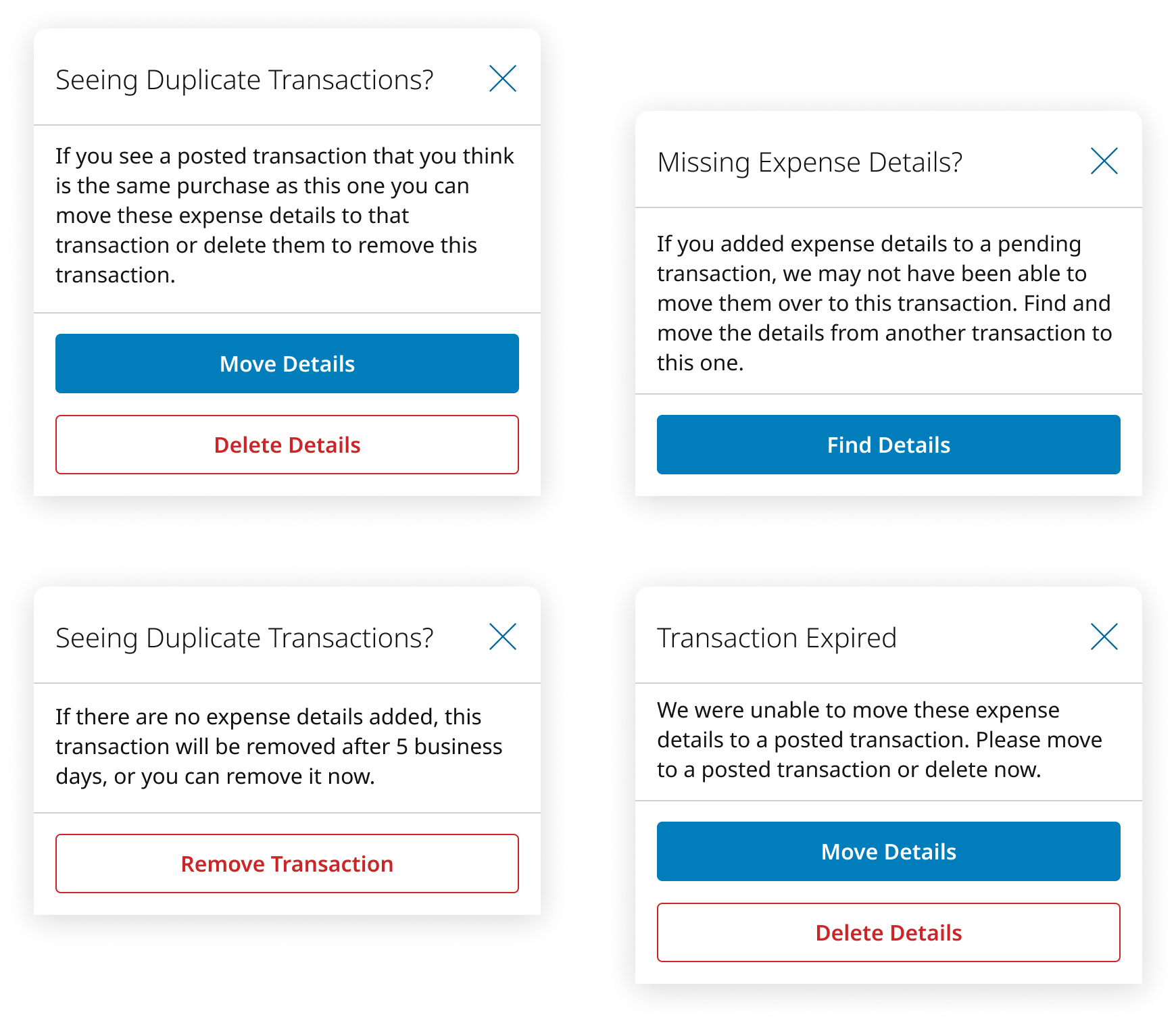
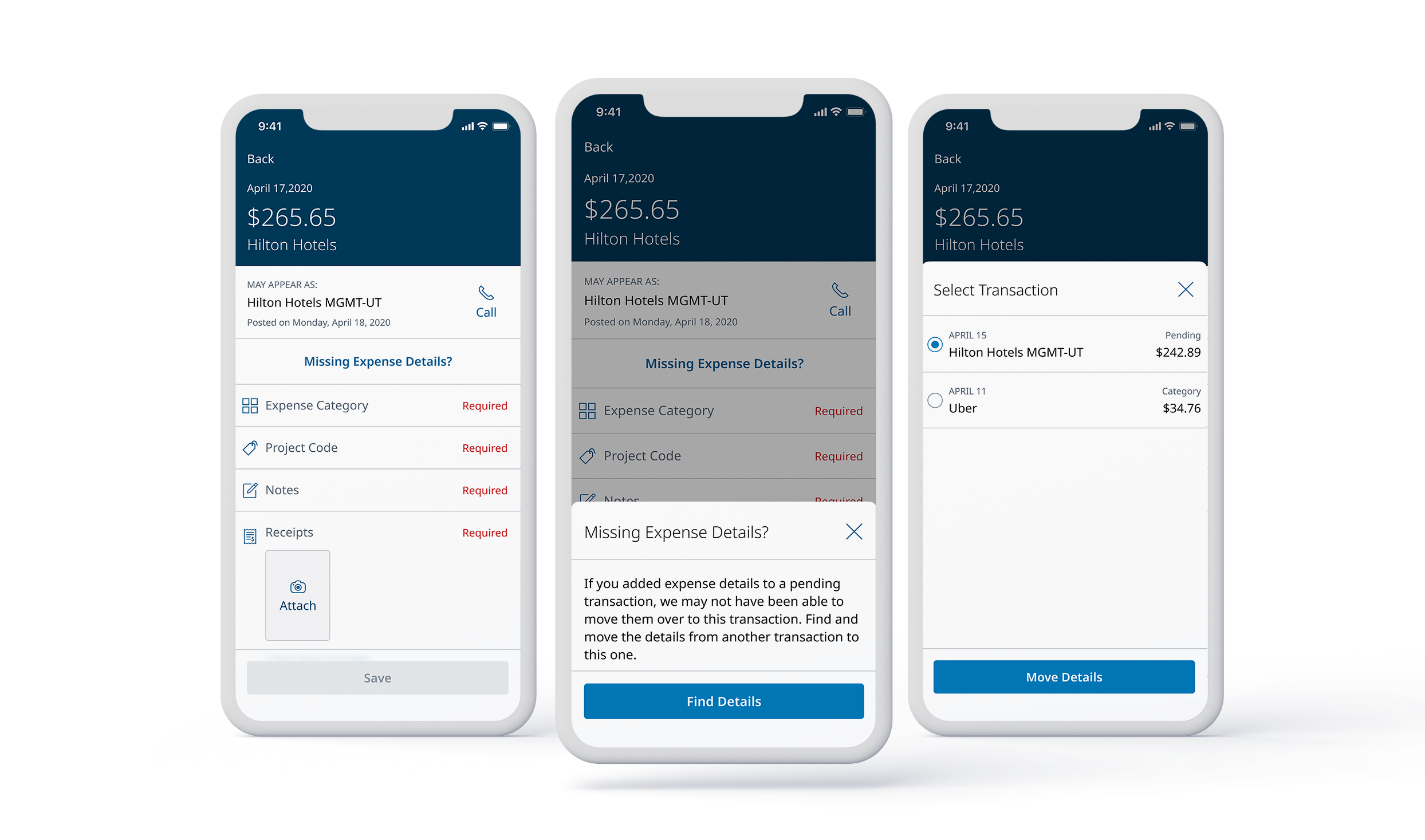
To cover these two main user problems and any edge cases, I designed 4 different experiences depending on the transaction status.
Missing Expense Details
Added actions on the transaction detail page allowing cardholders to either 'push' or 'pull' details from a pending or posted transaction
Duplicate Transactions
For rare cases where expense details were on an expired pending transaction, users could remove the transaction or move details to the correct posted transaction
Solution #4
Eliminating Expense Reports
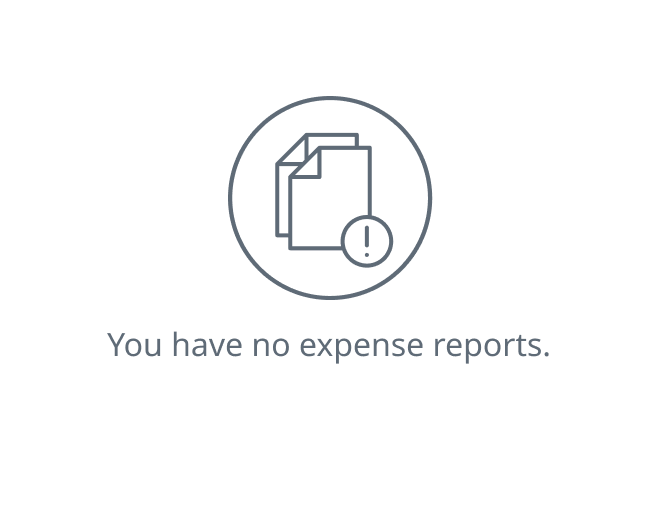
We removed expense reports entirely from the app. Admins wanted information faster, and cardholders didn't want to remember to submit a report. Once a cardholder adds their expense details to a transaction, the admin can reconcile it immediately, meaning faster reconciliation, fewer missing receipts, and admins can work on their own terms instead of getting backlogged at the end of every month.
Outcome
Results and Reflection
The pilot program was a highly effective way to test minimum features with an identified target market. The clients we worked with were incredibly helpful, providing regular insights and feedback that made designing and releasing updates easier.
Unfortunately, this project wrapped up around the start of Covid-19 when travel and expense spending by companies almost completely went away, and the Expense Management features were not released to clients outside the pilot.
“We are really enjoying the ease of it. Our owners even love it! One question we did have was, do you know when we would be able to get it for our other companies? It is really making our lives easier so the sooner the better for us.”
— CRO, Pilot Client Company
Want to see more of my work?
Learn more about my background and experience
Professional HistoryNext Project
An AI-assisted exploration tool for finding better campsites, routes, and light
View Project